When you finish mixing your last track, you might think the work is done. But the real challenge starts when you try to keep those files playable and intact for decades. Music production leaves behind dozens, sometimes hundreds, of files-stems, takes, plugins, samples, and the final master. If you don’t archive them properly, you could lose years of work to a crashed drive, corrupted file, or outdated software. This isn’t hypothetical. I’ve seen producers lose entire albums because they saved everything on a single external hard drive labeled "Final Mix - 2020" and never touched it again. By 2025, that drive wouldn’t even power on.
Why Archiving Music Files Isn’t Optional
Most producers treat archiving like a chore. But it’s not. Your session files are your creative history. They contain the raw performances, the experimental takes, the vocal harmonies you scrapped but might want to reuse. Your master file is the final version of your song, but without the session, you can’t remix, remaster, or re-release it later.
A 2024 survey of 1,200 independent music producers found that 43% had lost at least one project due to storage failure. The most common cause? Not hardware failure-it was file format obsolescence. Pro Tools sessions from 2012 won’t open in 2026 without the exact plugin chain. Logic Pro projects from 2015 crash on newer macOS versions if you didn’t freeze all tracks. The tech changes faster than most artists realize.
What to Archive: Masters vs. Sessions
You need two types of archives: masters and sessions. They serve different purposes.
Masters are your final, mixed, and mastered audio files. These are what you submit to streaming services, radio, or physical media. You need them in high-resolution, lossless formats like WAV or AIFF at 44.1kHz/24-bit or higher. Never rely on MP3s or compressed files as your master. Even if you’re releasing to Spotify, keep the original high-res version. It’s your fallback if you need to re-release in 10 years.
Sessions are everything else: the DAW project file, all audio stems, MIDI data, plugin presets, sample libraries, and even your session notes. This is your production DNA. Without it, you can’t touch the song again. If you want to change the bassline in 2030, you’ll need the session.
How to Archive Masters
Archiving masters is simpler than sessions, but still easy to mess up.
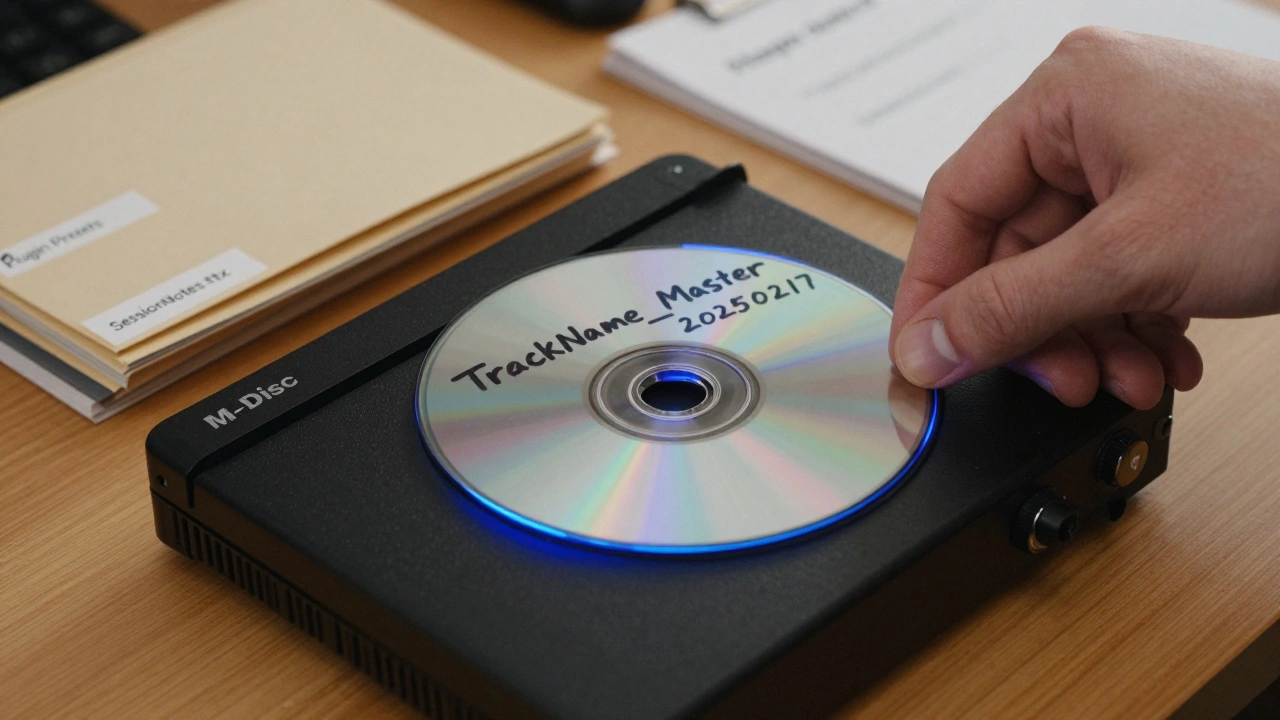
- Export the final stereo mix as a 24-bit/96kHz WAV file. Name it clearly: TrackName_Master_20250217.wav
- Also export a 16-bit/44.1kHz version for streaming and CD use
- Include a text file with metadata: track title, artist, producer, mixing engineer, mastering engineer, date, and ISRC code if you have one
- Store this on at least two separate physical drives-never just one
- Use a drive with a known lifespan (like Western Digital Purple or Seagate IronWolf) and replace every 3-5 years
Don’t trust cloud storage alone. Dropbox or Google Drive can fail. Or worse-they can silently corrupt files. Use cloud as a third copy, not your primary.
How to Archive Sessions
This is where most people fail. A session isn’t just one file. It’s a messy ecosystem.
- Freeze or bounce all tracks. This turns plugins and automation into static audio. You’ll need the original plugin settings later, but freezing prevents version lock-in.
- Export all stems. Export each instrument or vocal as its own 24-bit WAV file. Label them clearly: LeadVocals_01.wav, Bass_Dry_02.wav, Drums_Overheads_L.wav
- Save the DAW project file. Don’t just save-it’s not enough. Export a backup copy of the project file and store it separately. For Pro Tools, use File > Save Copy In. For Logic, use File > Archive Project.
- Collect plugin presets. Export all your plugin settings as .fxp or .fxb files. Save them in a folder named after the plugin: ValhallaVintageVerb_Presets
- Include sample libraries. If you used third-party samples, note which ones and where you got them. Some are licensed for one project only. Don’t assume you can reinstall them later.
- Write a session log. Create a simple text file: SessionNotes_2025.txt. List: what plugins were used, which drum samples came from which pack, any tuning adjustments, and which takes were used for the final mix.
Then, copy the entire folder-masters, stems, project file, presets, notes-into one folder named after the project. Label it with the date: ProjectName_20250217.
Storage Hardware: What Actually Works
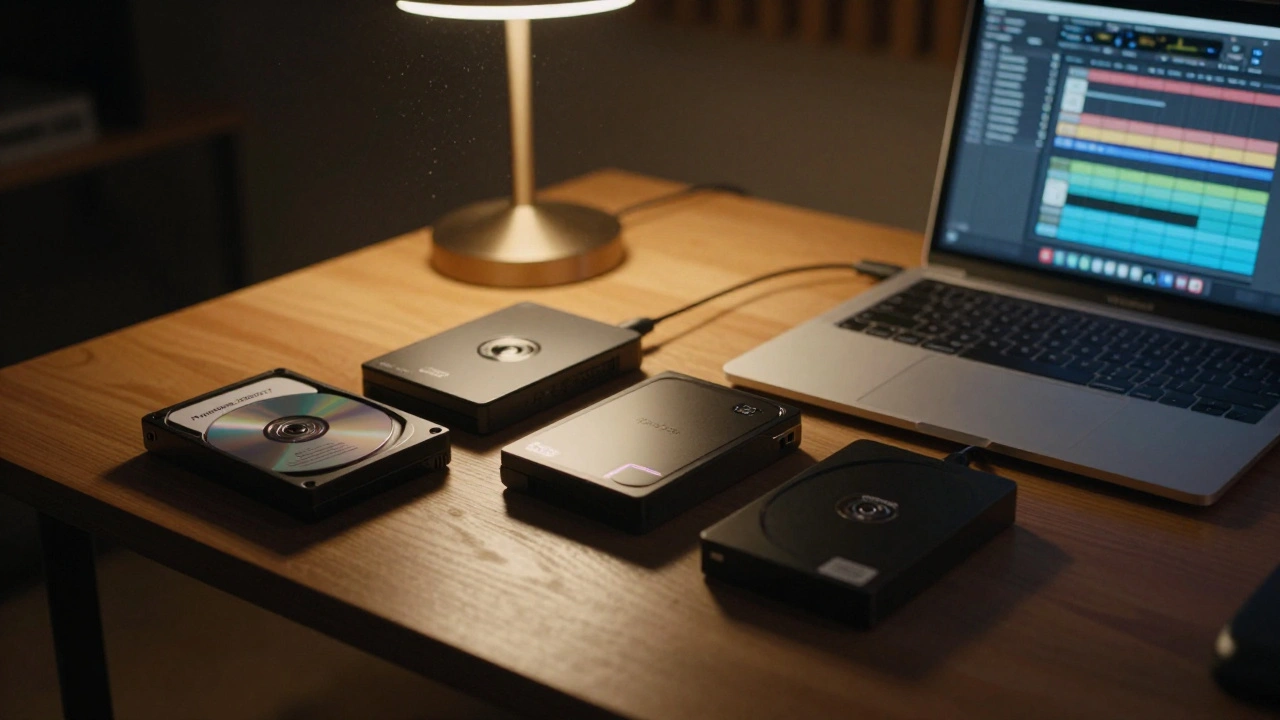
Not all drives are equal. Consumer SSDs are fast but don’t last long when idle. Hard drives with spinning platters degrade if unused. Here’s what works based on real-world data from audio engineers:
| Drive Type | Best For | Lifespan | Reliability |
|---|---|---|---|
| External HDD (NAS-rated) | Primary archive | 5-7 years | High |
| SSD (enterprise-grade) | Secondary backup | 3-5 years | Medium |
| M-DISC DVD/Blu-ray | Long-term cold storage | 100+ years | Very High |
| Cloud (Backblaze, Wasabi) | Third copy | As long as service lasts | High |
Use M-DISC for your most important archives. These are optical discs designed to last. Unlike regular DVDs, they use a data layer that doesn’t degrade under heat or light. A single Blu-ray M-DISC can hold 100GB. That’s enough for dozens of full sessions. Burn them at the lowest speed possible. Label them with a permanent marker, not a sticker.
Testing Your Archive: The 3-Year Rule
Don’t wait for disaster to strike. Every three years, test your archive.
- Plug in your backup drive. Can it be read?
- Open a session file. Does it load? Do all the stems play?
- Play the master. Is the audio intact?
- Try to export a new version from the session. If it fails, you’ve found a problem early.
If anything fails, replace the drive and re-archive. This isn’t optional. It’s maintenance, like changing the oil in your car.
What Not to Do
Here are the biggest mistakes producers make:
- Archiving only the final MP3
- Using a drive labeled "Backup" with no date or project name
- Storing everything on one drive in a closet
- Assuming cloud storage = permanent
- Not saving plugin settings
- Using proprietary formats without export backups
One producer I know archived a 2018 album on a FireWire drive. By 2024, his new MacBook didn’t have a FireWire port. The drive sat unused. He lost 17 tracks. He didn’t have the session files. He didn’t have the stems. He only had MP3s. He couldn’t remix. He couldn’t remaster. He couldn’t even license the song for a film.
Next Steps: Build Your Archive System
Start today. Pick one project-old or new-and archive it the right way. Use this checklist:
- Export master in 24-bit/96kHz WAV
- Export all stems as WAV
- Save the DAW project with "Archive Project"
- Export all plugin presets
- Write a session log
- Copy everything into one folder
- Copy that folder to two external drives
- Burn one copy to an M-DISC Blu-ray
- Upload one copy to a cloud backup service
- Label everything clearly with date and project name
- Set a calendar reminder: "Test archive - 2029"
Archiving isn’t glamorous. But it’s the only way your music survives beyond your hard drive’s warranty. The next time you finish a track, don’t just hit "Save." Archive it like your career depends on it-because it does.
What’s the best file format for archiving music masters?
Use 24-bit/96kHz WAV files. They’re lossless, universally supported, and preserve the full dynamic range. Avoid AIFF if you’re not on macOS-it’s less compatible across platforms. Never use MP3, AAC, or FLAC for masters. FLAC is fine for backups but not for professional use.
Can I just use cloud storage for archiving?
No-not alone. Cloud services can go offline, change policies, or get hacked. Use cloud as a third copy, after you’ve saved to two physical drives. Always keep local backups. The most reliable archives are offline, on drives you control.
How often should I replace my archive drives?
Replace external hard drives every 3-5 years, even if they seem fine. Drives that sit idle degrade faster than those in constant use. SSDs have a limited number of write cycles, but even HDDs suffer from lubricant breakdown over time. Test your drives every three years. If they’re older than five, replace them proactively.
What if I used plugins that are no longer available?
Export your plugin presets before archiving. Freeze or bounce all tracks so the effect is baked into the audio. Even if the plugin disappears, the sound remains. If you’re using VST3 plugins, make sure to save the .fxp files. Some companies like Waves and iZotope let you re-download plugins for life if you own them-keep your account active.
Is M-DISC really reliable for 100 years?
Yes, according to the U.S. Library of Congress, M-DISC technology has passed accelerated aging tests that simulate 100+ years of storage under extreme heat and humidity. Unlike regular discs, M-DISC uses a rock-like data layer that doesn’t oxidize. It’s the only optical medium proven to last centuries. Use Blu-ray M-DISCs-they hold more data and are more durable than DVDs.