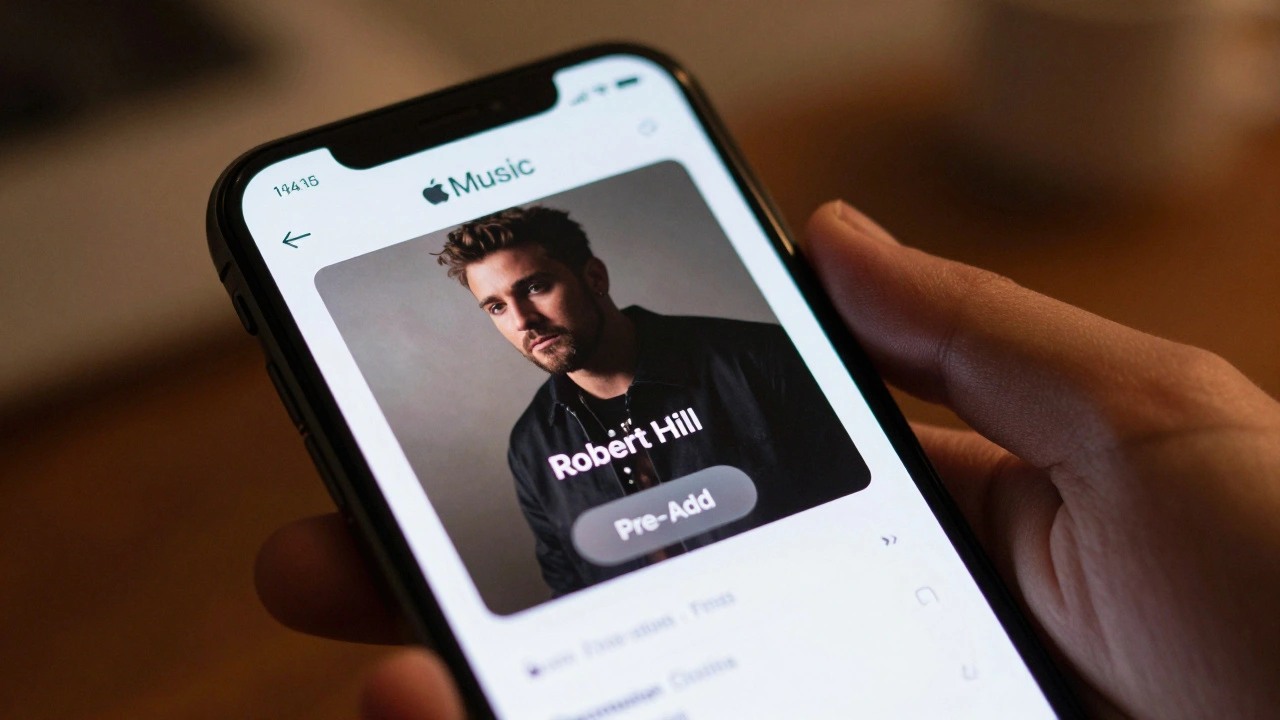
Waiting for a new album drop used to mean setting alarms and refreshing store pages at midnight. That era is over. If you follow artists like Robert Hill who is an emerging artist known for atmospheric indie-pop soundscapes, you want the track in your library the second it goes live. Apple Music changed the game with a feature called "Pre-Add." It sounds simple, but if you haven’t used it before, or if you are trying to secure every single upcoming release from a specific artist, there are a few tricks to know.
I’ve been testing this feature extensively since my last update in Portland, and I can tell you exactly how to make sure you never miss a beat. This isn’t just about clicking a button; it’s about understanding how Apple structures its release calendar so you can stay ahead of the curve.
What Exactly Is Pre-Add?
Pre-Add is a feature in Apple Music that allows users to add unreleased songs or albums to their library before they are officially available. Think of it as a digital reservation system. When you hit the Pre-Add button, Apple locks that song into your "Library" > "Upcoming" section. On the release date, the file downloads automatically (if you have cellular data enabled for downloads) or becomes available for streaming immediately without you needing to search for it again.
This is different from "Pre-Save," which was popularized by Spotify. Pre-Save usually requires you to click a link sent by the artist via email or social media. Pre-Add is native to the Apple ecosystem. You don’t need an external link. You just need to find the artist’s page or the specific album announcement within the Apple Music app.
Why does this matter for someone like Robert Hill? Independent and mid-tier artists often rely heavily on early engagement metrics. By pre-adding his tracks, you signal to Apple’s algorithm that you are a dedicated fan. This can sometimes influence playlist placements, giving the artist more visibility right when it counts.
Finding Upcoming Robert Hill Releases
The hardest part isn’t adding the song; it’s finding it before it drops. Apple doesn’t always shout about every upcoming release on the main homepage. Here is how I track down unreleased material.
| Method | Reliability | Best For |
|---|---|---|
| Artist Profile Page | High | Dedicated fans |
| Search Bar (Filter by "Albums") | Medium | Casual listeners |
| Social Media Links | High | Early access deals |
1. The Artist Profile Page
Go to the Search tab in the Apple Music app. Type "Robert Hill." Tap on the verified artist profile (look for the checkmark). Scroll down past the "Top Songs" and "Latest Release" sections. Look for a section titled "Upcoming" or "Coming Soon." If Robert Hill has announced a release through Apple’s official partner portal, it will appear here with a "Pre-Add" button next to each track.
2. The Search Filter Trick
Sometimes the artist page doesn’t update instantly. Try searching for the album name directly. If the album hasn’t dropped yet, Apple often lists it as a "pre-order" or "upcoming" item. Tap on the album cover. You should see a list of tracks. Instead of a play button, you’ll see a plus icon (+) or a "Pre-Add" label. Tap it. The icon will change to a checkmark, confirming the addition.
3. External Smart Links
Artists often share "Smart Links" on Instagram or Twitter. These links open directly in Apple Music. If Robert Hill posts a link saying "Pre-save now," tap it. It will take you straight to the album page with the Pre-Add buttons ready to go. This is the fastest method because it bypasses the search entirely.
Step-by-Step: How to Pre-Add a Track
If you are on an iPhone, iPad, or Mac, the process is nearly identical. Let’s walk through the exact steps so you don’t accidentally skip a step.
- Open the Apple Music App: Ensure you are signed in with your Apple ID. Pre-Add requires an active Apple Music subscription. Free tier users cannot use this feature.
- Locate the Content: Find the specific song or album. As mentioned above, use the Artist Profile or a direct link.
- Identify the Button: Look for the text "Pre-Add" or a cloud icon with a plus sign. Do not confuse this with the "Play" button. If you see "Play," the song is already out.
- Tap Pre-Add: Once tapped, the button will disappear or turn into a checkmark. A small notification may appear at the bottom of the screen saying "Added to Library."">
- Verify in Your Library: Go to the "Library" tab. Tap on "Playlists." Look for a playlist named "Upcoming." This is where all your pre-added content lives until the release date.
A common mistake people make is thinking they need to download the song now. You can’t. The audio file doesn’t exist yet. You are simply reserving the metadata. However, if you want the song to download automatically when it drops, make sure your settings allow for automatic downloads.
Managing Your "Upcoming" Playlist
Your "Upcoming" playlist is a hidden gem. It’s not just for Robert Hill. It collects everything you’ve pre-added across all artists. I recommend checking this playlist once a week. Why? Because sometimes release dates change. Artists delay albums due to mastering issues or marketing shifts. If a date changes, Apple updates the "Upcoming" playlist automatically. You don’t need to do anything, but it’s good to know what’s coming so you can plan your listening schedule.
You can also reorder songs in this playlist if you want to prioritize certain tracks. While this doesn’t change the actual release time, it helps you organize your mental queue. If Robert Hill drops a single followed by an EP two weeks later, having them listed in order helps you anticipate the flow.
Troubleshooting Common Issues
Even with a smooth interface, things can go wrong. Here are the most frequent hiccups I’ve seen and how to fix them.
Issue: The "Pre-Add" Button is Missing
If you see the album but no Pre-Add button, one of three things is happening:
1. The album is already released. Check the release date.
2. The album is not distributed through Apple Music. Some independent artists use Bandcamp or SoundCloud exclusively.
3. There is a regional restriction. If you are in a country where the release is delayed, the button won’t appear.
Issue: Song Didn’t Appear After Release
This is frustrating. You waited, and nothing happened. First, check your internet connection. If you were relying on automatic downloads, your device might have been in Airplane Mode. Second, force close the Apple Music app and reopen it. Sometimes the cache lags behind the server update. Third, go back to the artist’s page. If the song is there, manually add it to your library. It’s rare, but sometimes the Pre-Add token fails to convert to a permanent library entry.
Issue: Duplicate Entries
If you pre-add a song and then try to add it again after release, you might end up with duplicates in some playlists. To clean this up, go to your Library, find the duplicate, and swipe left to delete the extra version. Keep the one with the highest bitrate if you care about audio quality.

Why Pre-Adding Matters for Artists Like Robert Hill
You might wonder why you should bother with this extra step. Why not just wait and search for the song when it comes out? The answer lies in how streaming platforms work. Algorithms favor immediate engagement. When a new song drops, the first few hours are critical. If you listen to the song immediately upon release, it boosts the song’s velocity score. This increases the chance of the song being picked up by editorial playlists like "New Music Daily" or genre-specific lists.
For an artist like Robert Hill, who might not have the budget for massive ad campaigns, organic growth driven by fans like you is essential. By pre-adding, you ensure you are among the first listeners. You become part of the initial wave of streams that tells Apple’s AI, "This song is hot." It’s a small action, but collectively, it makes a huge difference for independent musicians.
Pro Tips for Power Users
If you are serious about keeping your library updated with the latest releases, here are a few advanced tips.
- Enable Notifications: Go to your Settings > Notifications > Apple Music. Turn on notifications for "New Releases" from your favorite artists. This way, you get a push notification the moment a Pre-Add option becomes available.
- Use Siri: You can ask Siri, "Show me upcoming releases by Robert Hill." Siri will pull up the relevant page if the data is indexed. It’s faster than typing on a small screen.
- Check the "Radio" Station: Every artist has an Apple Music Radio station. Tune into Robert Hill’s radio station. DJs often preview upcoming tracks or announce release dates during segments. It’s a great way to catch news before it hits the main UI.
Staying on top of new music doesn’t have to be a chore. With Pre-Add, you set it and forget it. Just remember to check your "Upcoming" playlist occasionally to ensure everything is tracking correctly. Happy listening.
Can I pre-add a song if I don't have an Apple Music subscription?
No, the Pre-Add feature is exclusive to Apple Music subscribers. Free tier users can only stream songs that are currently available. You must have an active paid subscription to reserve upcoming content.
Does pre-adding a song cost money?
No, pre-adding is free. It is included in your monthly Apple Music subscription fee. You are not buying the song upfront; you are simply reserving it for later inclusion in your library.
What happens if the release date changes?
Apple Music automatically updates the release date in your "Upcoming" playlist. You do not need to re-add the song. The reservation remains valid regardless of date changes, provided the song is still scheduled to be released on Apple Music.
Can I pre-add entire albums at once?
Yes. If an album is available for pre-add, you can tap the "Pre-Add" button on the album cover itself. This will add all individual tracks to your library simultaneously. Alternatively, you can select individual tracks if you only want specific songs.
Will pre-added songs download automatically?
Only if you have automatic downloads enabled in your settings. Go to Settings > Music > Downloads. If "Automatic Downloads" is on, the song will download to your device as soon as it is released. Otherwise, it will be available for streaming only until you manually download it.